If you have ever looked at a receipt and wondered what the price was before tax was added, you are dealing with a very common real-world problem. Whether you are a shopper trying to understand your bill, a business owner reconciling accounts, or a developer building a tax tool, knowing how to reverse calculate sales tax is an essential skill. This guide walks you through everything you need to know about reverse sales tax — what it is, how the reverse sales tax calculation works, and how to apply it in practical situations.
What Is Reverse Sales Tax?
Sales tax is typically added on top of a base price when you make a purchase. Reverse sales tax is simply the process of working backwards — starting from the total amount you paid (which includes tax) and calculating what the original pre-tax price was.
This is also called a sales tax reverse calculation or reverse tax calculation. It comes up in many scenarios:
- You receive a receipt that only shows the final total
- You want to verify whether the correct tax rate was applied
- You are recording expenses and need to separate the tax portion from the base amount
- You are an accountant or bookkeeper reconciling invoices
The reverse sales tax formula is straightforward once you understand the logic behind it.
The Reverse Sales Tax Formula
The core formula to reverse calculate sales tax from a total is:
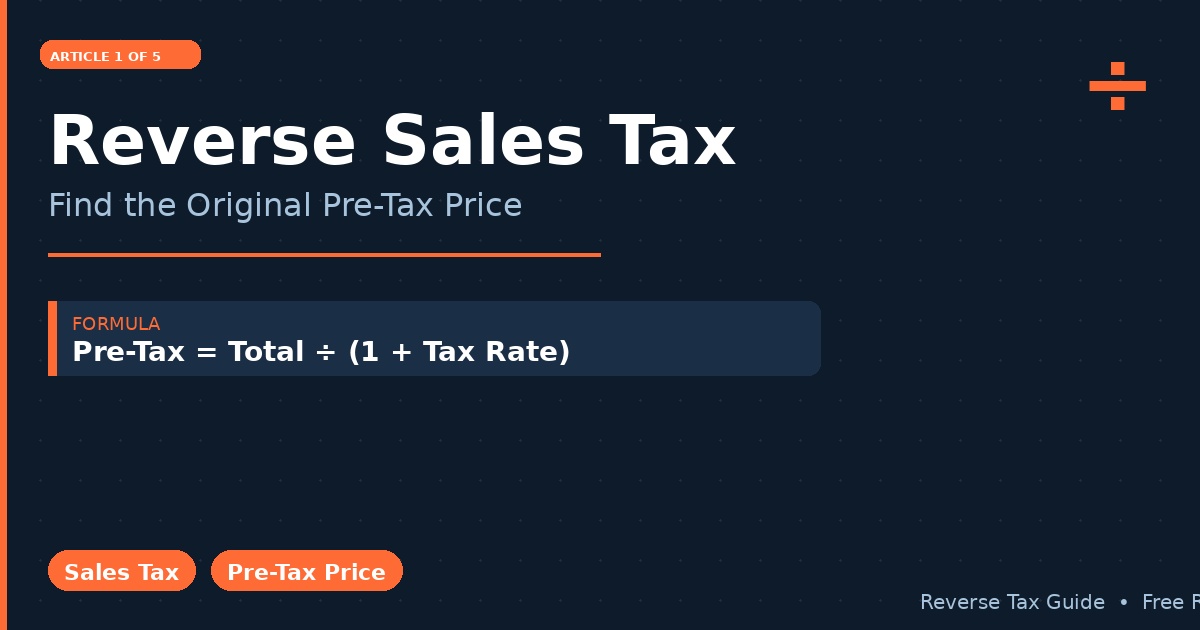
Pre-Tax Price = Total Price ÷ (1 + Tax Rate)
For example, if you paid $108.00 and the sales tax rate is 8%, the calculation looks like this:
Pre-Tax Price = $108.00 ÷ (1 + 0.08) = $108.00 ÷ 1.08 = $100.00
And the tax amount itself:
Tax Amount = Total Price − Pre-Tax Price = $108.00 − $100.00 = $8.00
This is the foundation of any reverse sales tax calculation. You can apply this formula manually, in a spreadsheet, or through an online tool.
Why Reverse Calculate Sales Tax?
There are several practical reasons why individuals and businesses need to reverse calculate sales tax regularly.
For consumers, the most common reason is simply to understand what they actually paid for a product versus what went to the government. This is particularly useful when comparing prices across different states or provinces where tax rates vary significantly.
For businesses, the reverse tax calculation is critical for proper bookkeeping. When recording a purchase as an expense, the pre-tax price and the tax amount must often be recorded separately for accurate financial statements and tax filings.
For developers and analysts, building a reverse sales tax calculation into an app or spreadsheet requires understanding the formula precisely. Whether it is a reverse sales tax calculator for a retail app or a sales tax reverse calculator for an accounting platform, the underlying math is the same.
How to Do a Reverse Sales Tax Calculation Step by Step
Here is a clear, step-by-step process to reverse calculate sales tax from any total:
Step 1: Identify the total amount paid This is the final number on your receipt or invoice, including tax.
Step 2: Find the applicable tax rate You need to know the sales tax rate that was applied. This could be a state rate, a combined state-and-local rate, or a national rate depending on your country.
Step 3: Apply the reverse sales tax formula Divide the total amount by (1 + the tax rate expressed as a decimal).
Pre-Tax Price = Total ÷ (1 + Tax Rate)
Step 4: Calculate the tax portion Subtract the pre-tax price from the total to find how much tax was charged.
Tax Amount = Total − Pre-Tax Price
Let us look at a few examples across different tax rates to make this concrete.
Reverse Sales Tax Examples by Rate
5% Tax Rate
Total paid: $52.50 Pre-Tax Price = $52.50 ÷ 1.05 = $50.00 Tax Amount = $52.50 − $50.00 = $2.50
10% Tax Rate
Total paid: $110.00 Pre-Tax Price = $110.00 ÷ 1.10 = $100.00 Tax Amount = $110.00 − $100.00 = $10.00
13% Tax Rate (e.g., Ontario HST)
Total paid: $113.00 Pre-Tax Price = $113.00 ÷ 1.13 = $100.00 Tax Amount = $113.00 − $100.00 = $13.00
8.875% Tax Rate (e.g., New York City)
Total paid: $54.44 Pre-Tax Price = $54.44 ÷ 1.08875 = $50.00 Tax Amount = $54.44 − $50.00 = $4.44
As you can see, the tax reverse calculation formula works the same way regardless of the rate — you just plug in the right percentage.
Using the Reverse Tax Calculation in a Spreadsheet
Many people prefer to reverse calculate sales tax in Excel or Google Sheets, especially when working with large datasets or multiple transactions.
The formula in a spreadsheet cell is simple. Assuming the total is in cell A2 and the tax rate is in cell B2:
=A2/(1+B2)
This gives you the pre-tax price. To get the tax amount:
=A2-A2/(1+B2)
You can also use this as a reverse tax calculation formula in Excel across an entire column of totals, making it very efficient for bulk processing of invoices or receipts.
Reverse Sales Tax vs. Forward Sales Tax
It is worth clarifying the difference between a standard sales tax calculation and a reverse sales tax calculation:
- Forward calculation: You know the pre-tax price and calculate the tax to add. Example: $100 × 1.08 = $108.
- Reverse calculation: You know the total (including tax) and work backwards to find the pre-tax price. Example: $108 ÷ 1.08 = $100.
The reverse calculation is the one that trips people up because it is tempting to just multiply the total by the tax rate — but that gives you the wrong answer. If you multiply $108 by 8%, you get $8.64, not $8.00. The correct approach is always to divide by (1 + rate).
Common Mistakes When Reversing Sales Tax
Mistake 1: Subtracting the tax percentage directly from the total People often try to reverse calculate by doing $108 × 8% = $8.64, then subtracting: $108 − $8.64 = $99.36. This is wrong. The correct pre-tax price is $100.00.
Mistake 2: Using the wrong tax rate Tax rates vary by location and product type. Always confirm the exact rate that was applied before running a reverse calculation.
Mistake 3: Ignoring compound taxes In some jurisdictions, multiple taxes are stacked (e.g., a state tax plus a local tax). In these cases, you need the combined total rate, not just one layer.
Mistake 4: Rounding errors When dealing with many transactions, rounding differences can accumulate. Use full decimal precision in your formula and only round the final result.
When Is Reverse Sales Tax Most Useful?
The reverse calculation of tax becomes especially valuable in these situations:
- Expense reports: Employees submitting expense reports often need to separate the tax from the total to report the net business expense.
- Refunds and returns: If you return an item and want to confirm the refund amount is correct, knowing the pre-tax price helps.
- Cross-border purchases: When buying from another state or country with different tax rates, calculating reverse sales tax helps you understand true comparative pricing.
- Audit preparation: Businesses being audited may need to verify that recorded pre-tax amounts match actual purchase totals.
- Price matching: Retailers doing price comparisons need to strip out tax to compare apples to apples.
Tips for Accurate Reverse Sales Tax Calculations
- Always use the exact tax rate — even a fraction of a percent matters on large transactions.
- Keep the formula as Total ÷ (1 + Rate) — never try to subtract a percentage directly from a total.
- When using a spreadsheet, format the tax rate cell as a decimal (0.08, not 8) unless your formula accounts for the conversion.
- Double-check your result by doing the forward calculation: Pre-Tax Price × (1 + Rate) should equal your original total.
- For multi-rate environments, always use the combined effective rate in a single calculation.
Conclusion
Reverse sales tax is not complicated once you understand the core formula. Whether you are trying to find the pre-tax price from a receipt, building a sales tax reverse calculation into a business system, or simply verifying that you were charged the right amount, the formula Pre-Tax Price = Total ÷ (1 + Tax Rate) is your go-to tool.
The key takeaway is this: never subtract a percentage directly from a total. Always divide by (1 + the tax rate). Apply this consistently and your reverse tax calculations will be accurate every time.