If you have ever needed to reverse calculate sales tax and found yourself reaching for your phone, a spreadsheet, or an app, you are not alone. Millions of people every year search for a free online reverse sales tax tool to quickly extract the pre-tax price from a total amount paid. Whether you are a shopper, business owner, accountant, or developer, having the right tool — and knowing how to use it correctly — saves time and prevents errors. This guide covers everything you need to know about using free online reverse sales tax tools, what features to look for, and how to do the calculation yourself when no tool is available.
Why Use a Free Online Tool for Reverse Sales Tax?
The reverse sales tax formula is not complicated, but doing it manually every time — especially with varying tax rates across different locations — is tedious. A free online reverse sales tax tool handles the math instantly, eliminates rounding errors, and lets you switch between jurisdictions without having to look up rates.
Here is when a free online reverse sales tax tool is most useful:
- You have a receipt showing only the total and need the pre-tax amount
- You are processing multiple transactions and need consistent results
- You are traveling or buying from a different state, province, or country
- You want a quick sanity check on a manual calculation
- You are building expense reports and need to separate the base price from the tax
The best free reverse sales tax tools are accessible on any device — desktop, mobile, or tablet — without needing an account or subscription.
How a Reverse Sales Tax Tool Works
Every reverse sales tax tool, whether it is a web app, mobile app, or spreadsheet template, uses the same underlying formula:
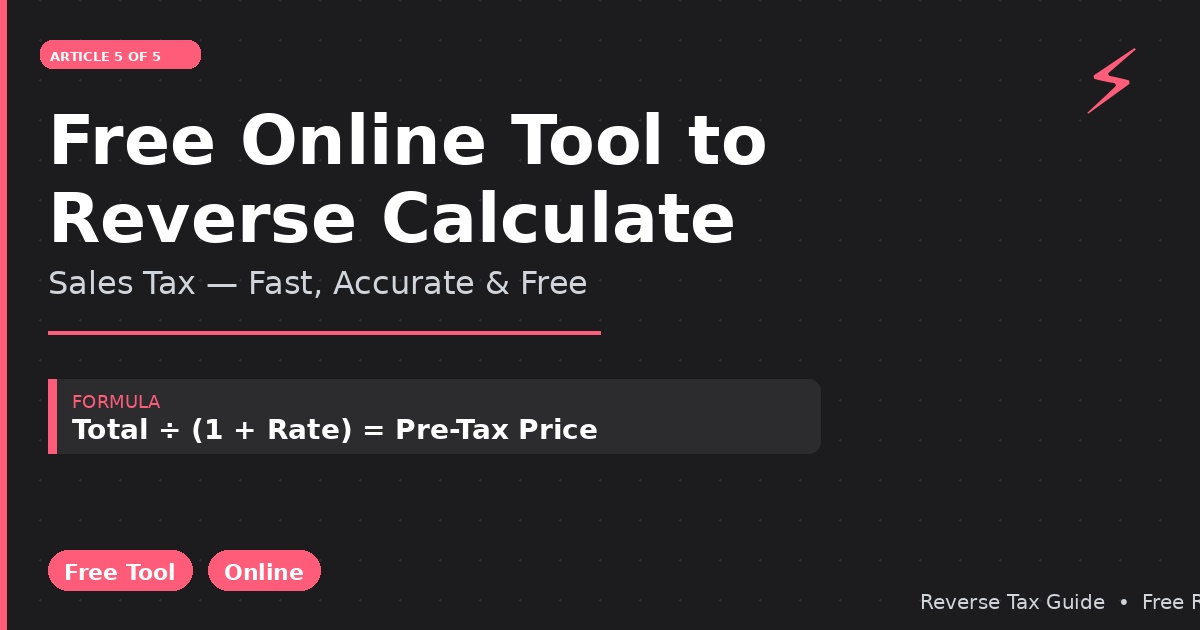
Pre-Tax Price = Total Amount ÷ (1 + Tax Rate)
The tool simply asks you to enter two inputs:
- The total amount you paid (including tax)
- The tax rate that was applied
It then instantly returns:
- The pre-tax (base) price
- The tax amount
- Sometimes the tax rate as a percentage of the total (the effective rate)
Some tools go further, letting you select your location from a dropdown and auto-populating the local tax rate — which is especially helpful for reverse sales tax calculator USA calculations where rates vary so much by state and city.
What to Look for in a Free Reverse Sales Tax Tool
Not all free tools are equal. Here is what separates a genuinely useful tool from a mediocre one:
Location Presets
The best tools include built-in rate presets for major US states, Canadian provinces, and international jurisdictions. Rather than requiring you to know the exact rate, you select your location and the tool fills it in. This is particularly valuable for calculating reverse sales tax in places with complex combined rates like New York City (8.875%), Quebec (14.975%), or California (varies by county).
Multi-Tax Support
Some jurisdictions stack multiple taxes. A good free reverse sales tax online tool handles this either by using the combined rate directly or by letting you enter multiple rates and calculating them together.
Editable Tax Rate Field
Even with presets, you should always be able to override the rate manually. Local rates change, and combined rates differ even within states. A tool that only offers preset rates without a manual override is limited.
Clear Display of Results
The tool should clearly show both the pre-tax price and the tax amount separately — not just the pre-tax price. This matters for expense reporting, bookkeeping, and invoice verification.
No Registration Required
A genuinely free reverse sales tax tool does not require you to create an account, enter your email, or subscribe to use the basic calculation. Free means accessible immediately.
Mobile-Friendly Interface
A reverse sales tax calculator app that works well on mobile is essential for on-the-go use — checking receipts at a store, verifying a total at a restaurant, or processing invoices on a tablet.
Reverse Sales Tax Across Key US States
Here is how a free online reverse sales tax tool handles the most commonly requested US state calculations:
Reverse Sales Tax — California
California’s state rate is 7.25%, but many cities and counties push the combined rate higher. Los Angeles has a 10.25% combined rate. A California-specific tool should either use the statewide base or let you input the county rate.
Free tool example: Enter total = $110.25, rate = 10.25% Result: Pre-tax = $100.00, Tax = $10.25
Reverse Sales Tax — Florida
Florida’s base rate is 6%, with county surtaxes ranging from 0% to 2.5%.
Free tool example: Enter total = $106.00, rate = 6% Result: Pre-tax = $100.00, Tax = $6.00
Reverse Sales Tax — Texas
Texas has an 8.25% combined rate in most major cities.
Free tool example: Enter total = $108.25, rate = 8.25% Result: Pre-tax = $100.00, Tax = $8.25
Reverse Sales Tax — New York City
NYC’s combined rate of 8.875% makes this one of the trickier US calculations.
Free tool example: Enter total = $54.44, rate = 8.875% Result: Pre-tax = $50.00, Tax = $4.44
Reverse Sales Tax — New Jersey
NJ’s flat statewide rate of 6.625% makes this straightforward.
Free tool example: Enter total = $53.25, rate = 6.625% Result: Pre-tax = $50.00, Tax = $3.25
Reverse Sales Tax — Connecticut
CT’s flat 6.35% rate is easy to apply.
Free tool example: Enter total = $106.35, rate = 6.35% Result: Pre-tax = $100.00, Tax = $6.35
Reverse Sales Tax for Canada Online
Canadian reverse sales tax calculations are among the most searched online because of the dual-tax structure in most provinces (federal GST + provincial PST or HST).
Ontario Reverse Sales Tax Online
HST rate = 13%
Enter total = $113.00, rate = 13% Pre-tax = $100.00, HST = $13.00
Quebec Reverse Sales Tax Online
Combined GST + QST = 14.975%
Enter total = $114.98, rate = 14.975% Pre-tax = $100.00, Tax = $14.98
British Columbia (BC) Reverse Tax Online
Combined GST + PST = 12%
Enter total = $112.00, rate = 12% Pre-tax = $100.00, Tax = $12.00
A free reverse sales tax calculator Canada tool should include all provinces in its location presets: Ontario, Quebec, BC, Alberta (5% GST only), Manitoba (12%), Saskatchewan (11%), Nova Scotia/New Brunswick/PEI/Newfoundland (15% HST).
Reverse Sales Tax in Excel: A Free Alternative
For users who prefer not to use a web tool, Microsoft Excel and Google Sheets both offer a free reverse tax calculation formula in Excel environment. This is the reverse sales tax calculator Excel approach that accountants and bookkeepers commonly use for batch processing.
Basic Formula
Assuming:
- Cell A2 = total amount (including tax)
- Cell B2 = tax rate (entered as 0.08 for 8%)
Pre-tax price:
=A2/(1+B2)
Tax amount:
=A2-A2/(1+B2)
Template Setup for Multiple Transactions
For bulk use, set up a spreadsheet with columns:
- Column A: Transaction description
- Column B: Total amount paid
- Column C: Tax rate
- Column D: Pre-tax price (formula: =B2/(1+C2))
- Column E: Tax amount (formula: =B2-D2)
This gives you a free reverse sales tax calculator Excel template that handles any number of transactions with consistent accuracy.
Reverse Sales Tax Apps: What to Expect
A dedicated reverse sales tax calculator app on iOS or Android typically offers:
- Instant calculation as you type
- Location detection to auto-fill local tax rates
- History log of recent calculations
- Ability to email or export results
- Offline functionality (no internet required once downloaded)
When evaluating a reverse sales tax app, check that it allows manual rate entry (not just presets), displays both the base price and the tax amount separately, and is genuinely free without requiring in-app purchases for basic features.
Common Mistakes People Make With Reverse Sales Tax Tools
Even with a free online tool, users sometimes get wrong results due to avoidable mistakes.
Entering the tax rate as a percentage instead of a decimal: Most well-designed tools accept either format (8% or 0.08), but some require a specific format. Check the tool’s input label carefully.
Using the state rate instead of the combined local rate: The combined rate for your specific city or county may be significantly higher than the state rate alone. Always use the most specific rate available.
Treating inclusive and exclusive prices the same: A price that says “tax included” already has tax baked in — use the reverse formula. A price that says “plus tax” does not — use the forward formula. A reverse sales tax tool only works on tax-inclusive totals.
Using old tax rate data: Tax rates change. A reverse sales tax calculator 2020 or reverse sales tax calculator 2018 preset may be outdated. Always verify you are using the current rate.
How to Calculate Reverse Sales Tax Online Without a Tool
If you need to calculate reverse tax online but do not have access to a tool, you can do it with any basic calculator:
- Convert the tax rate to a decimal (e.g., 8% = 0.08)
- Add 1 to the decimal (e.g., 0.08 + 1 = 1.08)
- Divide the total paid by this number (e.g., $108 ÷ 1.08 = $100)
- Subtract to find the tax amount (e.g., $108 − $100 = $8)
This four-step process is the manual equivalent of any calculate reverse tax online tool.
Conclusion
Free online tools make reverse sales tax calculations fast, accurate, and accessible from any device. Whether you prefer a web app, a mobile reverse sales tax app, or a reverse sales tax formula in Excel, the underlying math is always the same: divide the total by (1 + tax rate). The best free tools add value through location presets, combined rate support, and clear display of both the pre-tax price and tax amount. When choosing a tool, prioritize those that let you edit the tax rate manually, work on mobile, and do not require registration. With the right tool and the right rate, a reverse sales tax calculation takes under five seconds.