Knowing how to reverse calculate tax is one of those practical skills that comes up far more often than most people expect. Whether you are trying to figure out how much tax was buried inside a total purchase price, working out your gross income from a net paycheck, or building a financial model in a spreadsheet, the ability to reverse a tax calculation is genuinely useful. This article covers every method and formula you need, explained clearly with worked examples.
What Does It Mean to Reverse Calculate Tax?
A standard tax calculation goes forward: you start with a base amount and add tax to arrive at a total. A reverse tax calculation goes the other direction: you start with the total (which already includes tax) and work backwards to find the original base amount and the tax portion separately.
This applies across all types of taxes:
- Sales tax: Finding the pre-tax price from a receipt total
- VAT or GST: Extracting the tax element from an inclusive price
- Income tax: Working out gross salary from a net (take-home) amount
- Service tax under reverse charge: Calculating tax liability on services where the recipient pays
The core logic of how to reverse tax calculation is the same in all cases — you are simply undoing the tax that was applied.
The Universal Reverse Tax Formula
No matter what type of tax you are dealing with, the fundamental reverse tax calculation formula is:
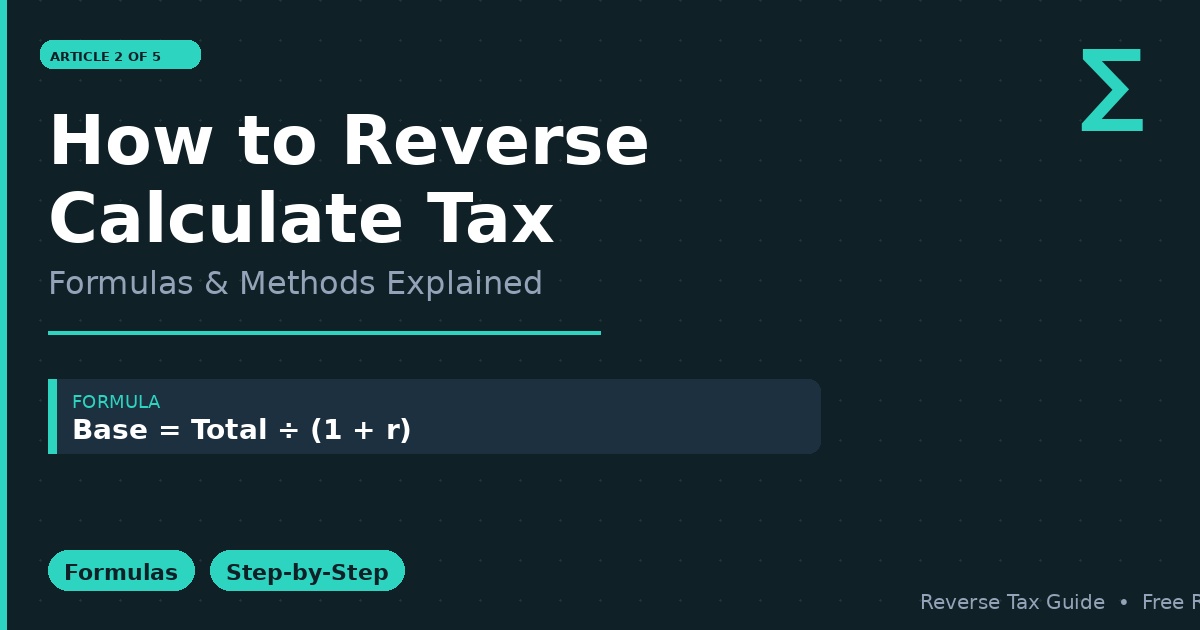
Base Amount = Total Amount ÷ (1 + Tax Rate)
And to find the tax itself:
Tax Amount = Total Amount − Base Amount
Or equivalently:
Tax Amount = Total Amount × (Tax Rate ÷ (1 + Tax Rate))
These two formulas are the foundation of every reverse tax rate calculation. Let us walk through each formula in detail.
Formula 1: Base Amount From Total
This is the most commonly needed formula. You have a final price or amount that includes tax, and you want to know what the pre-tax figure was.
Formula: Base = Total ÷ (1 + r), where r is the tax rate as a decimal.
Example: Total bill = $226.00, tax rate = 13%
Base = $226.00 ÷ 1.13 = $200.00 Tax = $226.00 − $200.00 = $26.00
Verification: $200.00 × 1.13 = $226.00 ✓
This is the core of any reverse calculate tax operation. Always divide by (1 + rate) — never subtract the percentage directly from the total.
Formula 2: Tax Amount From Total (Direct)
Sometimes you only need the tax amount itself, not the base. You can get this directly without first finding the base price.
Formula: Tax = Total × (r ÷ (1 + r))
Example: Total = $226.00, tax rate = 13%
Tax = $226.00 × (0.13 ÷ 1.13) = $226.00 × 0.11504 = $26.00
This is a slightly more direct route when you do not need the base price separately.
How to Reverse Tax Calculation in Excel
Knowing how to do reverse tax calculation in a spreadsheet is extremely useful for anyone working with financial data. Excel and Google Sheets both support the formula natively.
Basic Reverse Tax Formula in Excel
Assume:
- Column A contains totals (including tax)
- Column B contains the tax rate (entered as 0.08 for 8%, or 8% formatted as a percentage)
Pre-tax price formula in cell C2:
=A2/(1+B2)
Tax amount formula in cell D2:
=A2-C2
Or combined in one cell:
=A2-(A2/(1+B2))
Reverse Tax Calculation Formula in Excel for Multiple Rows
To apply this across a table, simply drag the formula down. Use absolute references if the tax rate is fixed in one cell:
=A2/(1+$B$1)
This is the reverse tax calculation formula in Excel that most accountants and financial analysts rely on for bulk invoice processing.
Excel Reverse Progressive Tax
For income tax, the reverse tax calculation formula in Excel becomes more complex because income tax is progressive — different portions of income are taxed at different rates. An excel reverse progressive tax approach requires you to work through each tax bracket from the top down, subtracting the tax owed at each bracket until you arrive at the gross income. This is usually done with nested IF statements or a lookup table referencing each bracket’s threshold and rate.
How to Reverse Calculate Sales Tax Specifically
Sales tax reverse calculation follows the same formula but with a few nuances worth noting.
The Issue With Stacked Rates
In many jurisdictions, the total tax on a purchase is a combination of state, county, and city rates. For example, in New York City, sales tax combines a state rate, a city rate, and a transit surcharge. When you reverse calculate sales tax, you need to use the combined effective rate, not just the state rate.
Example: NYC combined rate ≈ 8.875%
Total paid = $54.44 Base = $54.44 ÷ 1.08875 = $50.00 Tax = $54.44 − $50.00 = $4.44
The Formula to Reverse Calculate Sales Tax
The formula to reverse calculate sales tax is identical to the universal formula:
Pre-Tax Price = Total ÷ (1 + Combined Tax Rate)
It is worth repeating the most common mistake: people often multiply the total by the tax rate and subtract. For example, $54.44 × 8.875% = $4.83 — which is wrong. The correct tax is $4.44. Always divide, never subtract a percentage directly.
How to Reverse Calculate Tax on Income and Salary
Income tax reverse calculation is slightly different from sales tax because income tax is not a flat addition on top of a base amount in the same way. Instead, it is calculated on your gross income based on progressive brackets, and what you receive is the net (after-tax) amount.
Simple Flat Rate Reverse Income Tax
If a flat tax rate applies (common in some countries or for specific income types):
Gross Income = Net Income ÷ (1 − Tax Rate)
Note: for income tax, you divide by (1 − rate), not (1 + rate), because the tax is taken out of the gross rather than added on top of the base.
Example: Net income = $3,400, flat tax rate = 15%
Gross = $3,400 ÷ (1 − 0.15) = $3,400 ÷ 0.85 = $4,000 Tax = $4,000 − $3,400 = $600
Progressive Income Tax Reverse Calculation
For progressive tax systems (like the US federal income tax or UK income tax), there is no single formula because different portions of income are taxed at different rates. The reverse tax calculation in this context involves:
- Starting with the net income
- Estimating which bracket range applies
- Adding back the tax owed at each bracket from the top down
- Iterating until you arrive at a gross figure that, when taxed, produces the known net
This is why most people use an online tool or spreadsheet with bracket tables rather than doing it by hand. The go from taxes to salary reverse calculation is effectively a bracket-by-bracket reconstruction.
Reverse Charge Mechanism: Service Tax Calculation
A special case worth understanding is the calculation of service tax under reverse charge mechanism. In this system, used in countries like India (historically) and under certain EU VAT rules, the recipient of a service is responsible for paying the tax rather than the supplier.
The calculation of service tax on works contract under reverse charge involves:
- Identifying the taxable value of the service
- Determining what percentage of the service value is subject to reverse charge
- Applying the applicable service tax rate to that portion
For example, if a works contract is 40% taxable under reverse charge and the service tax rate is 15%:
Tax = Contract Value × 40% × 15%
This is a specialized area with jurisdiction-specific rules, but the underlying reverse tax formula concept still applies.
Common Errors in Reverse Tax Calculations
Understanding how to reverse calculate tax also means knowing what to avoid.
Error 1: Using (1 − rate) instead of (1 + rate) for sales tax For sales tax, tax is added on top — use (1 + rate). For income tax, tax is deducted from gross — use (1 − rate). Mixing these up produces wrong results.
Error 2: Using the wrong rate Always use the effective combined rate, not just one layer of tax.
Error 3: Forgetting to verify Always multiply your calculated base amount by (1 + rate) to confirm it equals your original total. If it does not, something is wrong.
Error 4: Rounding mid-calculation Round only at the final step. Rounding intermediary figures introduces compounding errors.
Quick Reference: Reverse Tax Formulas by Type
| Tax Type | Formula |
| Sales tax / VAT / GST | Base = Total ÷ (1 + rate) |
| Income / salary tax (flat rate) | Gross = Net ÷ (1 − rate) |
| Tax amount only | Tax = Total × (rate ÷ (1 + rate)) |
| Excel formula (sales tax) | =A2/(1+B2) |
| Excel formula (income tax, flat) | =A2/(1-B2) |
Conclusion
Whether you need to reverse calculate sales tax, reverse calculate income tax, or understand the reverse charge mechanism on services, the key is knowing which formula applies to your situation. For taxes added on top of a base price, always divide by (1 + rate). For taxes deducted from a gross amount, divide by (1 − rate). Apply the right formula, verify your result, and avoid the common mistake of simply subtracting a percentage from the total. With these methods in hand, any reverse tax calculation becomes straightforward.